
This page describes how to set up and use the GURaaS logging plugin for unity.
installing the plugin
- Download the plugin unity asset TODO: download link.
- Import the plugin into unity (Assets -> Import Package -> Custom Package...).
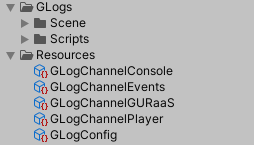
- Your project should now have the following additional assets:
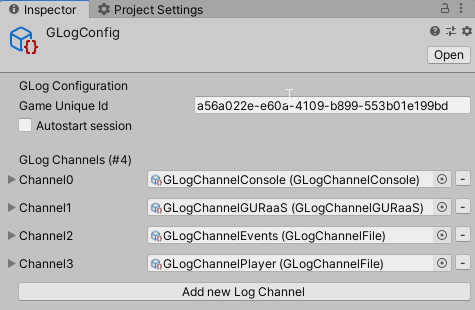
- Select the GLogConfig asset and set the Game Unique Id to the Id assigned to the game on the GURaaS portal.



Your first log